GDPR: managing assessment tasks and teams
Originally published on LinkedIn, August 2017. Please note that the choice of tools mentioned in the article is out-dated and reflects the time back then. The market for online tools has increased substantially in recent years.

There is no silver bullet GDPR tool. Organisations searching for a single platform that handles every requirement will be searching for a long time. What matters more is how you manage assessment work and teams — and in many cases, tools you already have can take you further than you think.
The reality of GDPR tooling #
A common question in organisations concerns “GDPR tools”, often in the hope that something exists that will support a multitude of requirements. Such a tool does not exist and probably never will, though some jack-of-all-trades-but-master-of-none tools may emerge. The “privacy management tools” category is very broad — the IAPP’s Tech Vendor Report provides a good overview, plenty of insights, and a useful categorisation scheme.
To support the initial gap and risk assessment in a GDPR programme and to get started, many organisations make do with existing tools — typically Office tools such as Excel, Visio, PowerPoint, and SharePoint — at least until they have conducted an RFP process and sourced appropriate tools matching their requirements.
SharePoint as a starting point #
For many years I have been a fan of SharePoint and have had experience building project and programme site templates that support collaboration and productivity. In the three GDPR programmes I had managed at the time of writing, I always initially established a basic Repository of Processing Activities in SharePoint to support Article 30. However, with SharePoint’s limitations such a setup is only sufficient for the short term or suitable for small organisations — short term meaning while you look for a more robust solution.
Assessment task management #
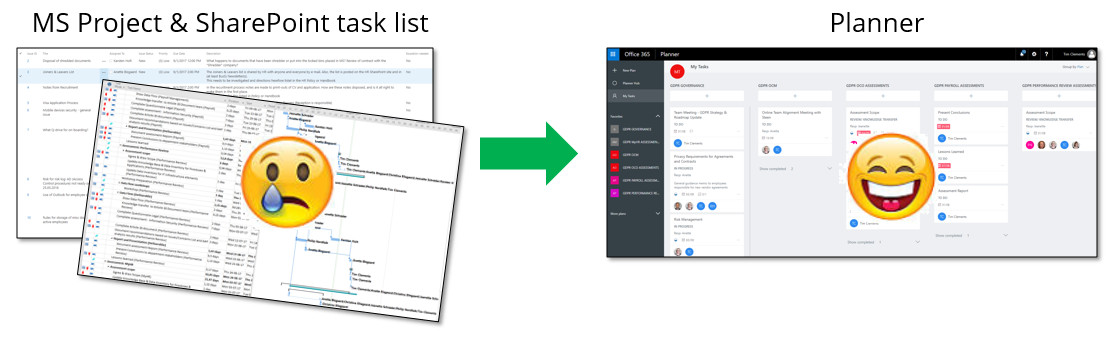
Many organisations turn to traditional scheduling software to manage their assessment tasks — MS Project, Excel, and so on. Note: tasks here means work, not the actual assessment content such as questionnaires.
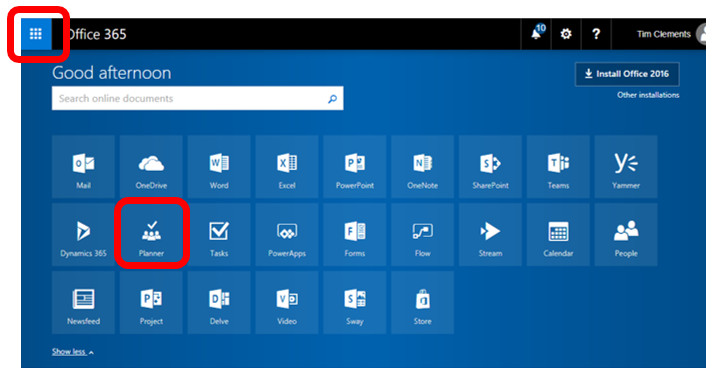
With Microsoft Office 365, many organisations miss an opportunity by not fully using the tools already within their licence. One worth exploring is Planner.
What is Planner? #
Planner is a visual task management tool that is easy to use in small teams and is well suited to assessment teams in GDPR and data protection initiatives. If you are familiar with Kanban or Scrum boards, you will feel at home with it.
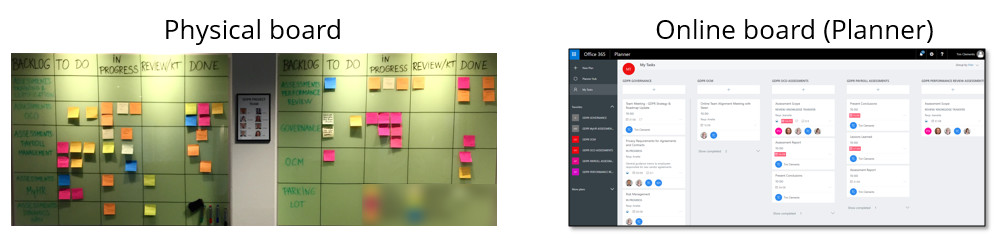
I use Planner in parallel with a physical board to support stand-up meetings and the energy and focus that physical boards bring. This also avoids the usual technical hitches of dragging and dropping, scrolling, and everyone getting distracted during the meeting.
Planner provides useful reports across multiple plans, personalisation, and the ability to empower team members to update their own tasks without the PM becoming a bottleneck. Reports can easily be embedded in Steering Committee material. Planner also integrates with other Office 365 collaboration tools — Groups, Teams, and so on.
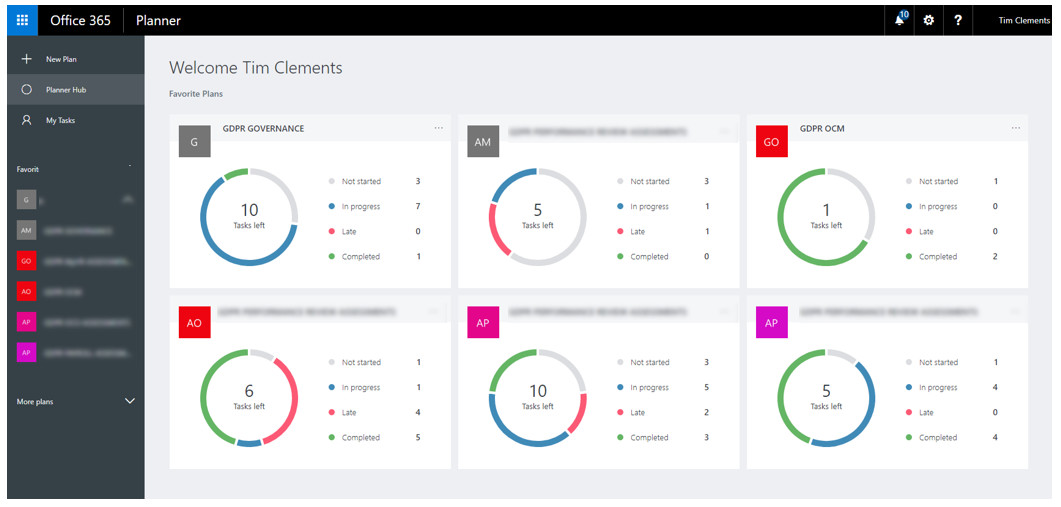
Planner can support one assessment team or multiple assessment teams across an enterprise, though the latter will require some consolidation to produce enterprise-level status reporting.
Assessment deliverables #
An assessment is planned per processing activity, and a processing activity may cover one or more purposes — see my earlier article on why purpose is a great starting point for more on this.
As a minimum, the assessments in my projects generate the following deliverables:
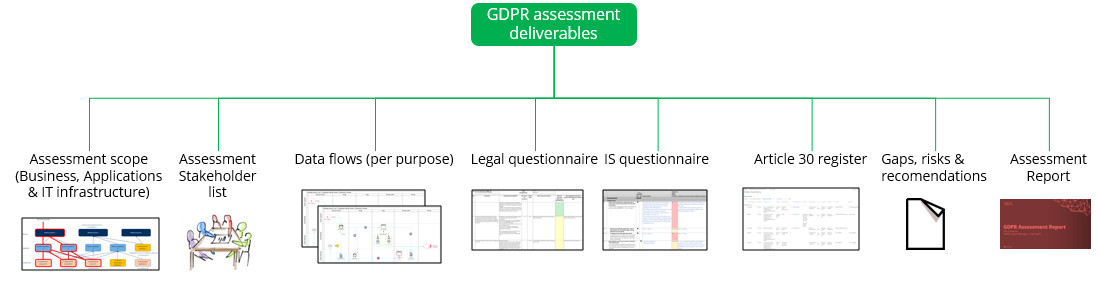
Typically an assessment team runs two or three assessments in parallel, with deliverables in various stages of completion. Within Planner, each deliverable is scheduled with the tasks needed to complete it and the resources required. Team members have a personalised view of their tasks across parallel assessments and can update progress independently. Tasks can be enriched with images, embedded documents, and links, and collaboration is supported by messaging at task level with message history.
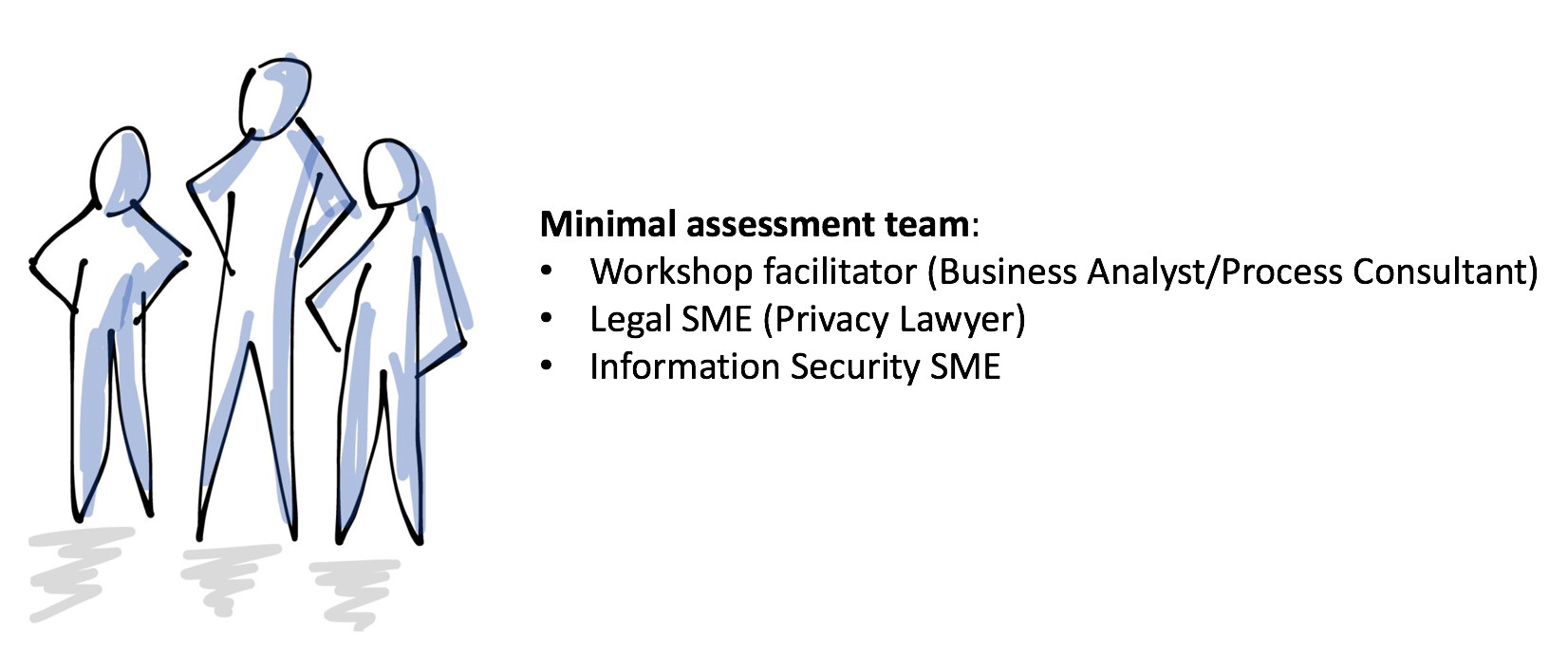
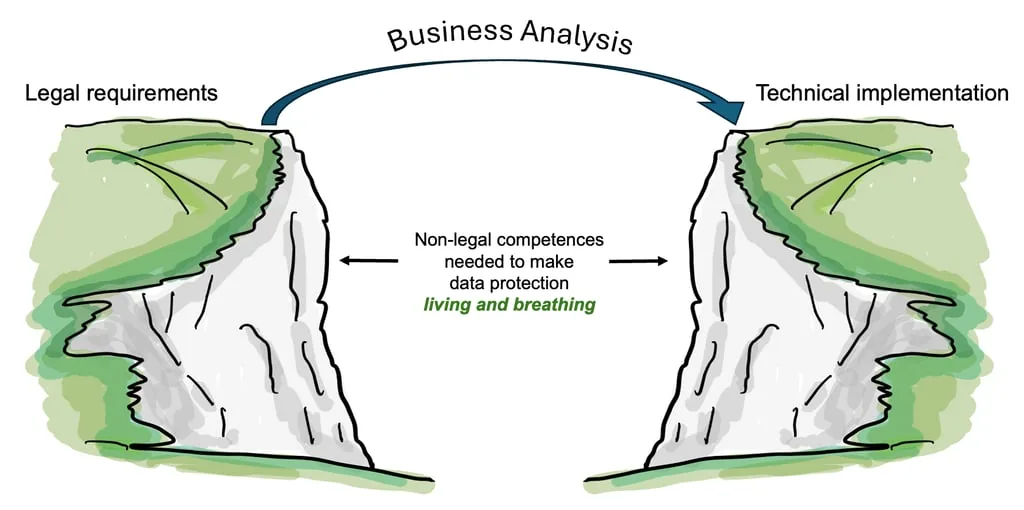
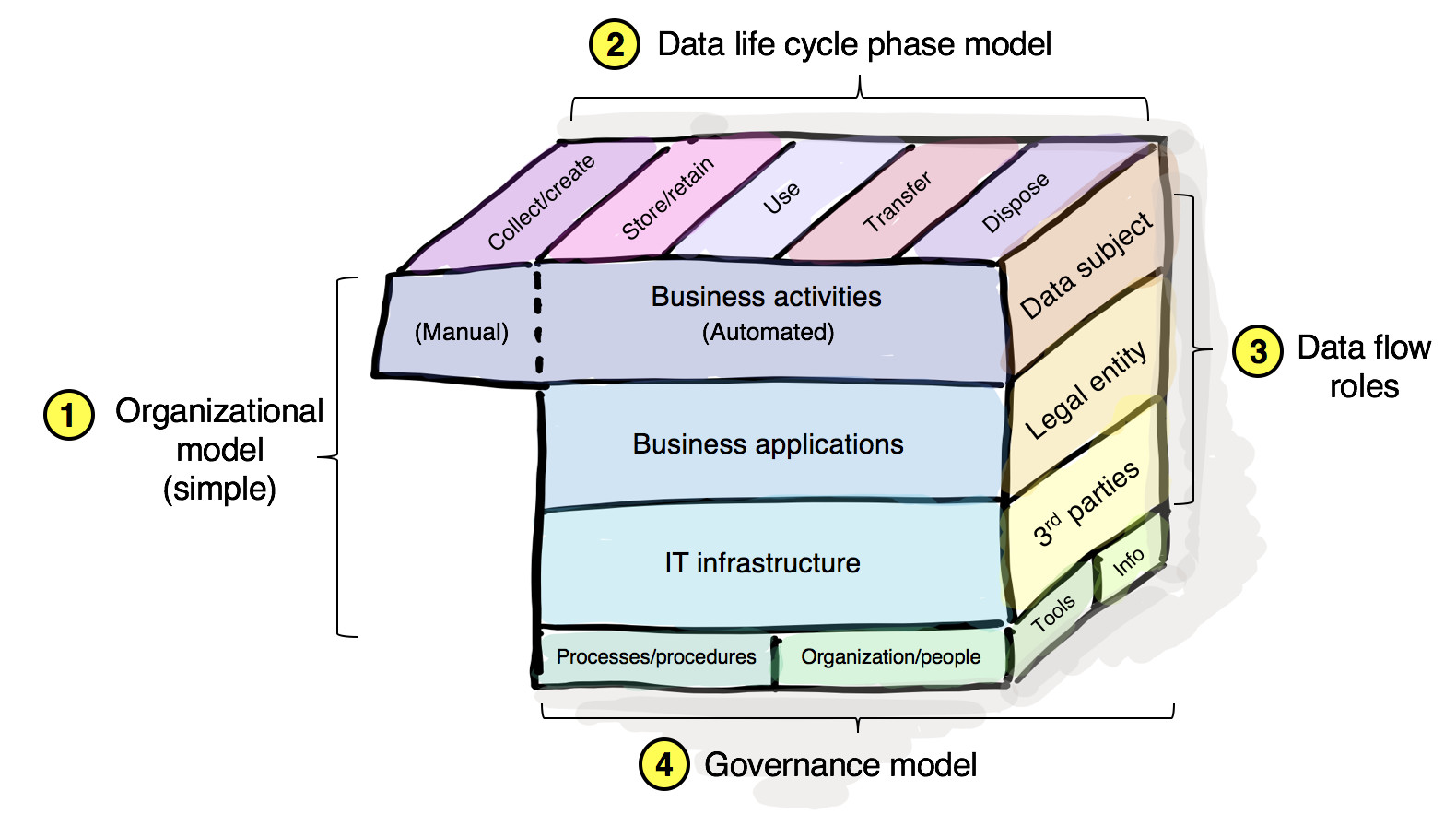
As a minimum, an assessment team should contain key competences covering facilitation and interviewing, business analysis, legal data protection, and information security. Team size will vary depending on the scale or complexity of the processing activity. Additional support is needed to collate information from the people in the organisation responsible for managing data across the lifecycle — typically those responsible for business processes, business applications, and IT infrastructure.
Planner in the bigger scheme of things #
Planner sits at the operational level — it manages the work at the coal face:
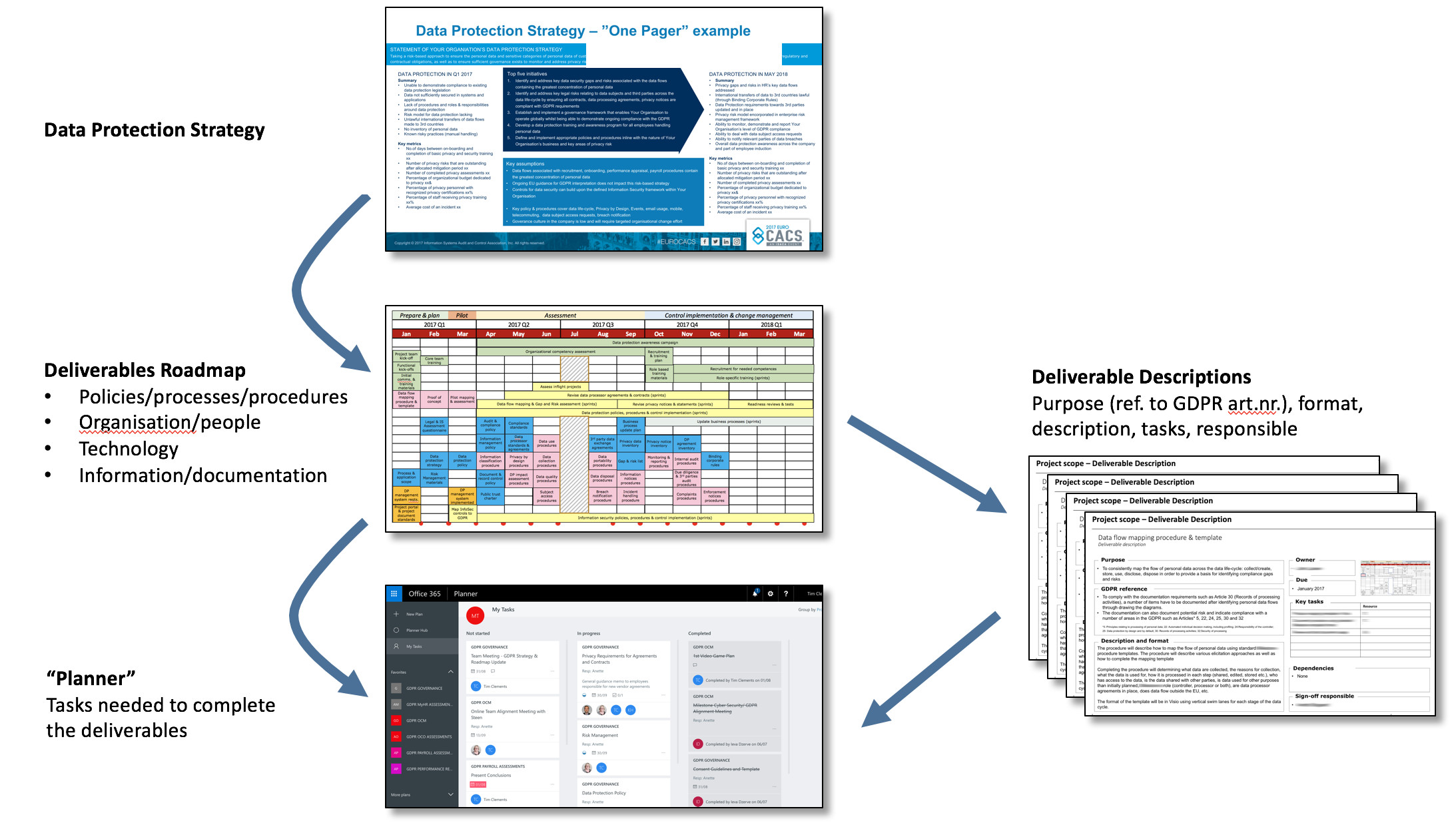
It is simple, easy to use, and visual. There are of course many approaches to managing this kind of work — this is the one I have found most beneficial in practice.
Frequently Asked Questions #
What should every GDPR assessment produce as a minimum? At minimum, each assessment should produce: an assessment scope covering business applications and IT infrastructure, a stakeholder list, data flows per purpose, a legal questionnaire and an information security questionnaire, an Article 30 register entry, a gaps and risks log, and an assessment report. The assessment is planned at the level of the processing activity, not the business process.
What competences does a GDPR assessment team need? As a minimum: a facilitator or business analyst to run interviews and workshops, a data protection legal SME, and an information security SME. Additional resource is needed from those in the organisation who are responsible for the relevant business processes, applications, and IT infrastructure.
Should I use specialist GDPR software or standard Office tools? For the initial phase, standard Office tools — SharePoint, Excel, Planner — are often sufficient and have the advantage of being already available and familiar. They are a pragmatic starting point while you run an RFP process to select purpose-built privacy management software that matches your specific requirements. Do not wait for the perfect tool before starting the work.
If you found this useful, the Purpose and Means newsletter covers GDPR, data governance, and privacy strategy — fortnightly, in plain language.
Purpose and Means works with organisations on data protection strategy, governance, and compliance - going beyond the legal text to focus on how things actually get done. If you’d like to discuss what this means for your organisation, book a call or explore our services.